 Fairpage
How to add a CMS to a static website
Move the site to a hosted editor: copy it, let your coding agent rebuild it, check every old address, publish, and hand it to your client, who then edits the words on the page. Below is the whole move of Tallow & Oak, a four-page shop its generator serves at localhost:4321, with each command’s output.
Run on 2 November 2026 with fairpage 0.1.7 · Prices checked 28 October 2026
What you need
- The site, running: its generator’s local server (Hugo, Jekyll, Eleventy, Astro), a folder of HTML served locally, or its address online.
- A coding agent in a terminal on your computer: Claude Code, Codex or Cursor.
- A Fairpage site on Plus, $99 a year, which has the command line, hosting, forms and the editor.
The move replaces the site’s generator and build. If you or other developers will keep changing the site in code, a Git-based CMS keeps them; see other ways below.
1. Install fairpage and log in
Once per computer, install the command line and log in. The login opens your browser, which asks you to approve the computer; the code it shows is the one in your terminal.
$ curl -fsSL https://fairpage.co/install.sh | sh
$ fairpage login
Approve this sign-in in the browser, signed in to https://fairpage.co.
Code: HFPB-BKFQ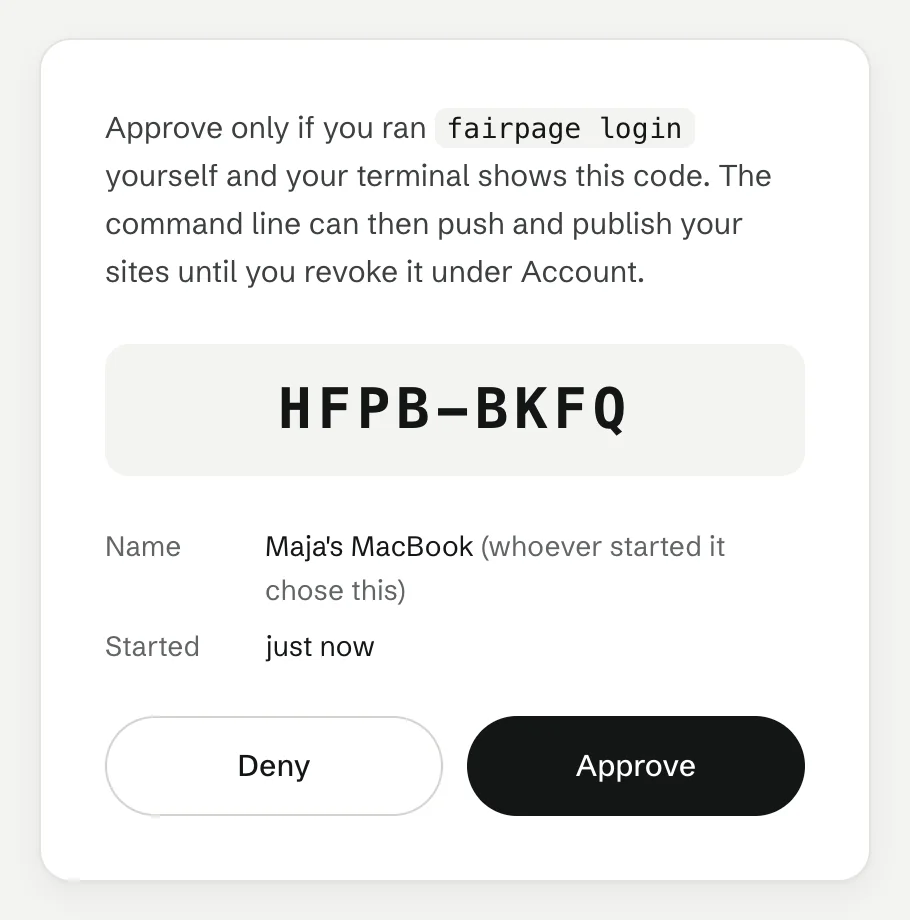
In Fairpage’s help: The command line.
2. Start the site
fairpage new makes the site on your account and clones it into a folder of its own, with an AGENTS.md that tells your agent how to work there.
$ fairpage new "Tallow & Oak" --slug tallowandoak --clone
Started Tallow & Oak as tallowandoak on https://fairpage.co.
You own it and build it as its designer.
Editor: https://fairpage.co/sites/tallowandoak/editor
Live:   https://tallowandoak.fairpage.app
Cloned 9 files of tallowandoak into ~/sites/tallowandoak.
3. Copy the old site
From the generator’s local server while it runs, or from the site’s address. Every page as served and every file it uses go into .legacy/, which is never pushed. import.json lists each address with its title, description, links and forms.
$ cd tallowandoak
$ fairpage import http://localhost:4321
Copied http://localhost:4321 [300ms]
  4 pages, 0 redirects, 17 files (0.8 MB)
Forms:
  /order: POST /order
Each address is in .legacy/import.json.
4. Let your agent rebuild it
Ask Claude Code, Codex or Cursor to move the site in .legacy/ into the folder. It reads fairpage docs moving, writes each page in Fairpage’s markup and turns the old CSS into the site’s tokens. Pages of one kind, such as posts, become a collection, and an address that cannot stay becomes a redirect.
> Move the site in .legacy/ into this folder. Keep every address.

● Read .legacy/import.json (4 addresses)
● Write _styleguide/theme.css (colours, fonts, spacing)
● Write _layout.x.html (header, menu, footer)
● Write index, sofas, visit and order.x.html
● Write public/js/main.js (the old site’s script)
In Fairpage’s help: Moving a site in.
5. Check, push and compare
fairpage check renders every page and lists what a push would refuse. fairpage push sends the files to the draft, and fairpage compare puts each old address beside its new page: how alike they look, the text they keep and the links that differ. Your agent fixes what it lists and runs it again.
$ fairpage check
No problems. 22 files changed locally, 4 pages rendered.
$ fairpage push
Pushed 22 files to the draft. [100ms]
$ fairpage compare
Compared 4 addresses: 4 the same, 0 differ.
6. Publish
fairpage publish lists what changes between the draft and the live site, asks, and puts the draft live at the site’s fairpage.app address.
$ fairpage publish
Draft against live:
  modified  _layout.x.html
  modified  _styleguide/theme.css
  modified  index.x.html
  added     order.x.html
  added     sofas.x.html
  added     visit.x.html
  … and 16 more files
Published.
In Fairpage’s help: Live and draft.
7. Point the domain
Add the domain on the site’s Domains page, which names the DNS provider and its steps; fairpage domains lists the same records. The old site stays online until the records change.
$ fairpage domains
tallowandoak.com  pending
  Waiting for the CNAME record.
  Records to add in tallowandoak.com's DNS, at Namecheap:
  CNAME  @          domains.fairpage.app
  TXT    _fairpage  fairpage-site=f882a638f4ec1196e21b98ecbb71e3d6
  Add www.tallowandoak.com too, so both addresses open the site.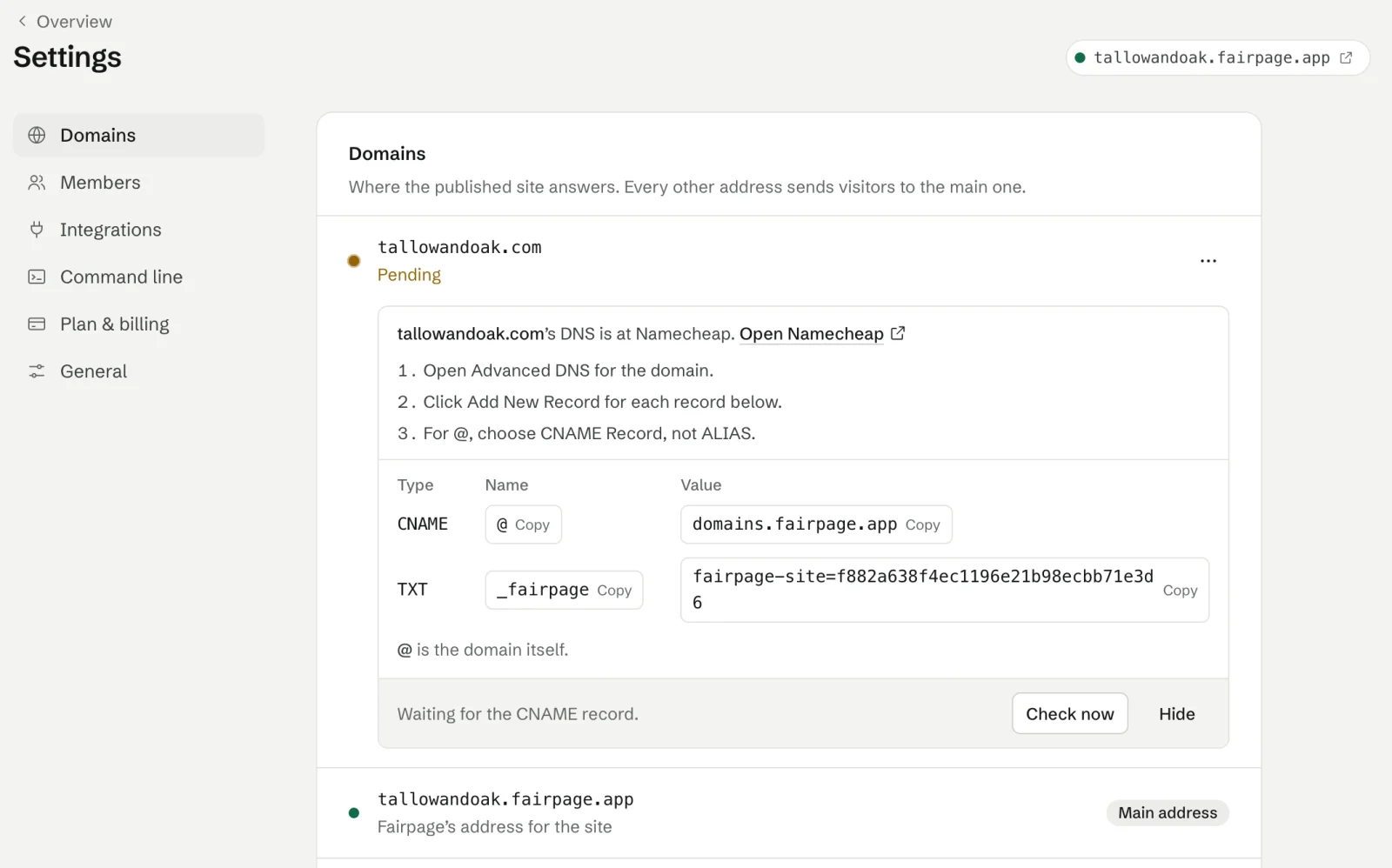
In Fairpage’s help: Domains.
8. Hand it to your client
Invite them as the site’s owner; the link works for 7 days. When they accept they own the site and pay for it, and you stay on to keep working on it. Until then the site’s General settings show the invitation, with Send again and Cancel.
$ fairpage invite [email protected] --owner
Invited [email protected] to tallowandoak as its owner.
The link works until 2026-11-09 14:23 UTC.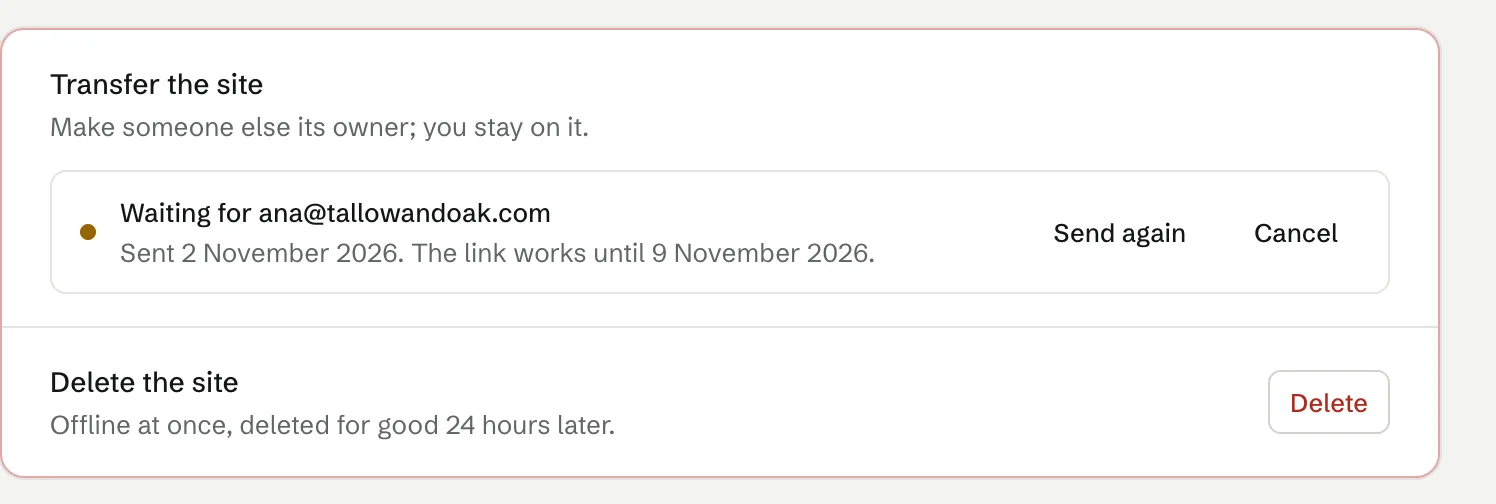
In Fairpage’s help: Handing a site over.
9. Your client edits on the page
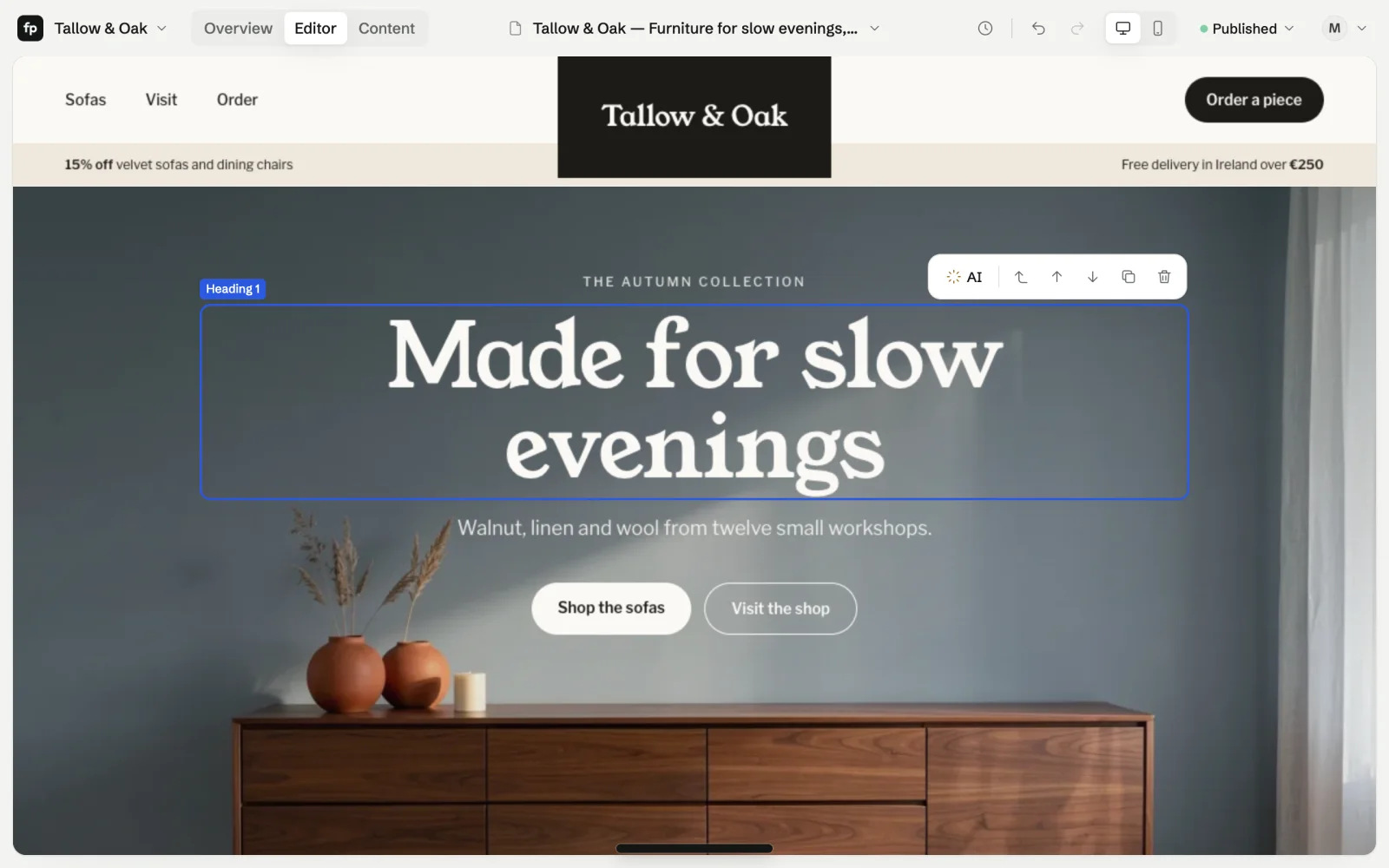
They click a heading and type over it, or select it for its toolbar. A text change goes live once saved; a new section or a change the AI makes waits in a draft until they publish.
In Fairpage’s help: Editing text and pictures.
Other ways to add a CMS
A Git-based CMS edits the files in your repository, and a headless CMS keeps the content in a service the build reads from. Both keep the generator.
| Git-based CMS | Headless CMS | Hosted editor | |
|---|---|---|---|
| Examples | Decap, Pages CMS, Tina, CloudCannon | Sanity, Contentful, Storyblok | Fairpage, Webflow, Framer |
| Your client edits | In a form, with a preview | In a form, in the CMS’s app | On the page |
| The content lives | In your repository | In the CMS, over its API | On the host, with the pages |
| Your generator | Stays | Stays; templates fetch from the CMS | Goes |
| A change is live | After a build | After a build a webhook starts | On publish |
| Forms | A service: your host’s, Formspree or Basin | A service | Built in |
| A year costs | Free to $588 | Free to $3,600 | $99 on Fairpage |
A Git-based CMS
An editing screen for the files in your repository: a config file lists the fields, saving writes a commit, and your host rebuilds the site. Decap and Pages CMS are free and open source. Tina signs in through TinaCloud, free for 2 people, then from $24 a month a project, billed yearly. CloudCannon builds the site itself and lets your client click the page, $49 a month billed yearly for 3 people.
A headless CMS
A service that keeps the content in its own database, which your templates fetch when the site builds. Sanity is free, then $15 a seat a month; Contentful Lite is $300 a month. For one small site it is a lot: every template is rewritten to fetch, and the site depends on a second service and its prices.
Your site, edited on the page, $99 a year
We’re opening Fairpage to a few people at a time. Leave your email and we’ll write when it’s your turn.